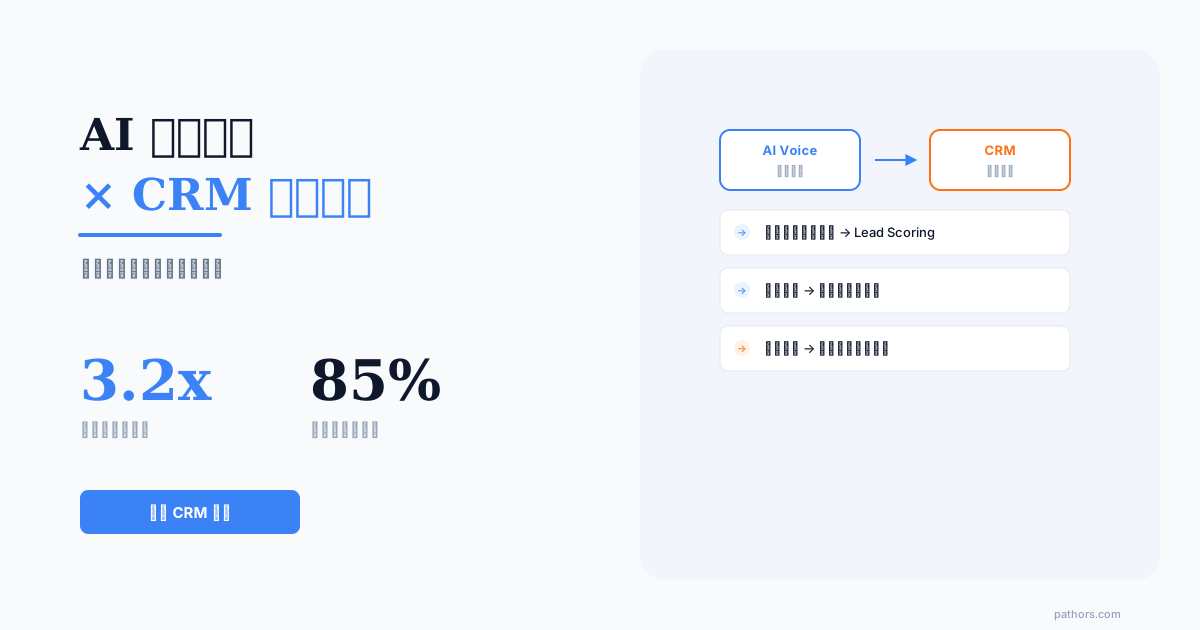
CRM voice integration connects the phone system to the CRM so that every step of a call, from the ring to the hang-up, leaves data behind automatically: caller ID matching, screen pop, the conversation itself, AI summary write-back, and the follow-up task it triggers. The first two steps are what traditional CTI already did. The last three are what AI changed.
Most organisations are stuck in the middle: the phone rings and the system recognises the customer, but the content of the conversation still gets typed into the CRM by hand. The result is a Monday morning where 80% of last week's contact records say nothing but contacted. According to a 2025 Gartner report, companies actively use only 23% of available CRM data fields, and sales reps spend an average of 5.2 hours per week manually logging call notes. This guide covers the five-step flow, the integration options common in Taiwan, the pricing bands, and the rollout timeline.
What Is CRM Voice Integration? Start From the Moment the Phone Rings
CRM voice integration means connecting the phone system to the CRM so that every step of a call, from the ring to the hang-up, leaves data behind automatically. The full flow is five steps.
One, caller ID matching. The instant a call arrives, the system looks up the calling number in the CRM to see whether this is an existing customer. If it finds one, it pulls up the contact card. If not, it prepares to create a new contact.
Two, screen pop. When the rep or agent picks up, the customer's record is already on screen: where the last conversation left off, the current stage of the deal, any open issues. No searching for a name while holding the phone.
Three, the call itself. A live transcript is generated during the conversation, with key information — amounts, dates, products — tagged as it appears.
Four, AI summary write-back. Within seconds of the hang-up, the call summary, intent labels, sentiment score and follow-up actions are written into that customer record automatically.
Five, downstream triggers. Based on the summary, the system creates the follow-up task, advances the sales stage, or notifies a manager.
The first two steps are what traditional CTI has always done. The last three are what AI added. Where most organisations get stuck is in the middle: they built the first two, and call content is still typed in by hand. This guide is about connecting all five into one line.
Comparing CRM Voice Integration Options in Taiwan
The systems Taiwanese companies need to integrate with fall into roughly five categories, and integration difficulty and local support vary considerably:
| CRM | Common integration route | Voice integration maturity | Local support in Taiwan |
|---|---|---|---|
| Salesforce | Official API and CTI framework, mature ecosystem | High | Resellers available, higher deployment cost |
| HubSpot | API and webhooks, low configuration barrier | High | No local first-party team, partner-supported |
| Zoho CRM | Complete API, strong price-performance | Medium-high | Local partners available |
| Local Taiwanese CRM products | Usually API or custom integration | Medium | Local teams, strong Chinese-language support |
| In-house or ERP-embedded CRM | Custom-built against your own API | Depends on the system | Entirely dependent on internal resources |
The recommended order of judgement: first confirm whether the CRM has a usable API and write permissions (without that, no voice platform however good can connect to it), then decide where the screen pop should live (embedded in the CRM, a browser extension, or a standalone agent screen), and only then compare prices. Local products tend to win on Chinese-language fields, invoicing and fit with Taiwanese sales processes; international platforms win on ecosystem and extensibility.
There is also a question that gets overlooked: whose phone system are you running. If the PBX is traditional equipment, the integration route runs through a VoIP gateway or a SIP trunk. If you are already on a cloud PBX, there is usually an API ready to connect. This decision typically drives more engineering hours than the CRM side does.
Why 85% of CRM Data Is Dead: Voice Conversations Are the Untapped Source
When we help companies deploy the Pathors voice platform, the first step is usually a CRM data-health audit. The findings are remarkably consistent across industries:
The root cause is straightforward: reps are busy calling and visiting clients, and they have neither the time nor the motivation to log call details line by line. CRM voice integration changes that at the source — after every voice interaction, the system automatically generates a structured summary containing intent classification, sentiment score, and key-need tags, then writes them to the corresponding CRM fields via API in real time.
Pathors Integration Architecture: A 4-Layer Data Pipeline from Voice to CRM
Connecting two systems with a webhook is the easy part. Turning conversation data into genuine sales leverage requires a 4-layer processing pipeline. Here is how Pathors structures it:
| Layer | Function | Processing Time | Output |
|---|---|---|---|
| L1: Speech-to-Text | Real-time ASR transcription | < 500ms latency | Full call transcript |
| L2: Semantic Understanding | NLU intent + entity extraction | < 1.2s | Intent labels, entities (product, amount, date) |
| L3: Conversation Summary | LLM-generated structured summary | < 3s | 300-word summary + action items |
| L4: CRM Write-Back | API mapping to CRM fields | < 800ms | Auto-updated contact card |
End-to-end latency from call termination to CRM update stays under 6 seconds. By the time a rep switches back to the CRM screen after hanging up, the summary and tags are already there.
3 Field-Mapping Principles from 40+ Deployments
1. Write only actionable fields: The CRM does not need a full transcript (that belongs in a data lake). Focus on intent labels, sentiment scores, summaries, and next-step actions — 4 categories total
2. Name fields in sales-process language: Use labels like Budget Confirmed, Decision-Maker Contacted, and Competitive Evaluation rather than technical jargon
3. Define conflict rules: When AI-extracted data contradicts existing CRM data — for example, the AI detects that the customer's budget dropped from NT$500,000 to NT$300,000 — flag it for human review rather than overwriting
From Conversation Data to Sales Action: 5 High-Value Automation Triggers
Writing data into the CRM is step one. The real payoff comes from data-driven automated actions. These are the 5 most frequently deployed triggers among Pathors customers:
Trigger 1: Auto-Advance Lead Stage When Intent Score Exceeds 75
The Pathors NLU engine assigns a purchase-intent score (0-100) to every conversation. When the score crosses 75, the system automatically moves the Lead from Nurturing to Sales Ready in the CRM and assigns it to the appropriate account executive. In practice, this automation cut average follow-up response time from 26 hours to 2.3 hours and lifted conversion rates by 34%.
Trigger 2: Competitive Battlecard Alert When Rival Keywords Appear
When a customer mentions competitor-related terms during a call, Pathors tags the CRM record with a Competitive Evaluation label and pushes the relevant sales battlecard to the assigned rep. Data shows 62% of reps successfully addressed competitive concerns on their very next call after receiving the battlecard.
Trigger 3: Manager Escalation When Sentiment Drops Below 40 for 2 Consecutive Calls
Sentiment analytics are more than dashboards. Pathors tracks each customer's historical sentiment trend. When 2 consecutive conversations score below 40 out of 100, the system creates a high-priority manager-care task in the CRM. One SaaS company reported 78% accuracy in churn prediction and a 45% success rate on proactive retention interventions.
Trigger 4: Auto-Generate Quote Draft When Budget and Timeline Are Confirmed
Pathors entity extraction captures budget amounts, desired delivery timelines, and quantities from conversations. When the core fields are filled, the system drafts a quote in the CRM automatically. Reps only need to review and adjust. Average quote turnaround dropped from 4.2 hours to 15 minutes.
Trigger 5: Send Personalised Follow-Up Email After Every Call
Based on conversation content, Pathors drafts a follow-up email and logs it in the CRM activity feed. Reps send it with one click. Open rates run 23% higher than template-based emails because the content directly addresses the issues the customer raised during the call.
How CRM Voice Integration Is Priced
Quotes in the Taiwan market usually break into three parts, plus an internal cost that is easy to forget:
| Cost component | What it covers | What moves the number |
|---|---|---|
| Integration build fee (one-time) | Field audit, API integration, trigger rules, testing | Whether the CRM has a ready API, how many systems, degree of customisation |
| Platform monthly fee | Accounts, seats, model usage, analytics | Seat count, call volume, whether live transcription is included |
| Call charges (usage) | Billed per minute | Monthly call minutes, whether carrier charges are included |
| Internal headcount (usually omitted) | Hours from the CRM administrator and backend engineer | Field complexity, permission workflows |
Using publicly listed market pricing as a reference point, deep CRM integration in Taiwan commonly starts at a build fee above NT$100,000, with a platform monthly fee around NT$5,000 and call charges roughly NT$5 per minute. Basic voice packages without deep integration carry a considerably lower build fee. On the internal side, a standard six-week rollout typically needs 1 CRM administrator and 1 backend engineer, totalling roughly 40 to 60 person-hours concentrated in weeks 2 through 4.
The three questions most worth pressing when comparing quotes: whether adding or changing fields is billed separately (many build fees cover the initial setup only), the overage rate on call minutes, and whether changing CRM or upgrading versions means redoing the integration.
Implementation Playbook: RESTful API Example and 6-Week Timeline
Pathors provides a standard RESTful API for integration with the major CRM systems. Here is a typical post-call summary write-back payload:
{
  "crm_contact_id": "CON-20260301-0892",
  "call_id": "CALL-87263",
  "timestamp": "2026-03-15T14:23:00+08:00",
  "summary": "Customer confirmed a Q2 ERP upgrade requirement, budget approx. NT$800,000, wants the proposal by mid-April",
  "intent": "purchase_inquiry",
  "intent_score": 82,
  "sentiment_score": 71,
  "entities": {
    "budget": "800000",
    "timeline": "2026-04-15",
    "product_interest": ["ERP", "Cloud Module"]
  },
  "suggested_actions": [
    {"type": "follow_up", "due": "2026-03-18", "note": "Send ERP cloud proposal"},
    {"type": "stage_update", "new_stage": "proposal_sent"}
  ]
}
The standard rollout takes 6 weeks:
| Week | Milestone | Key Deliverable |
|---|---|---|
| 1-2 | CRM field audit + API access provisioning | Field-mapping document |
| 3 | Pathors webhook configuration + staging integration | End-to-end test report |
| 4 | Intent / Entity model fine-tuning for industry vocabulary | Accuracy validation > 90% |
| 5 | Automation trigger setup + UAT | Sales-team feedback |
| 6 | Go-live + monitoring dashboard deployment | Launch checklist complete |
Proof in the Numbers: Before and After Across 3 Companies
Here are real metrics from 3 companies that completed Pathors CRM voice integration:
| Metric | Company A (B2B SaaS) | Company B (Insurance Brokerage) | Company C (Education) |
|---|---|---|---|
| CRM record completeness | 29% → 94% | 35% → 91% | 22% → 88% |
| Manual data-entry time per week | 5.8hr → 0.6hr | 4.5hr → 0.4hr | 6.2hr → 0.7hr |
| Lead follow-up response time | 28hr → 2.1hr | 18hr → 3.5hr | 32hr → 1.8hr |
| Sales conversion rate change | +34% | +21% | +28% |
| Churn prediction accuracy | N/A → 78% | N/A → 72% | N/A → 69% |
The shared insight across all three: the most unexpected benefit was not efficiency — it was enabling data-driven sales coaching for the first time. With conversation insight accumulating inside the CRM, managers could point to exactly where a rep had missed a customer buying signal.
The core proposition of CRM voice integration is simple: make every conversation leave a data trail, and make every data point trigger an action. From caller ID and screen pop through to post-call AI summary write-back, end-to-end automation turns what used to be a manual data-quality problem into a systems problem you can actually solve.
If your sales team is still spending five or more hours a week logging calls by hand, or if more than half the contact records in your CRM are effectively blank, this is the moment to reassess. The first step is not picking a vendor. It is confirming whether your CRM has a usable API with write permissions, and whether your existing PBX is traditional equipment or already in the cloud.
Further reading: the complete guide to phone AI, how to choose an AI outbound calling system, is AI outbound calling legal in Taiwan.
Frequently Asked Questions
Can customer details pop up automatically when a call comes in?
Yes — that is the screen pop. The instant a call arrives, the system matches the calling number against the CRM, and on a hit it pushes the contact card to the agent screen: where the last conversation left off, the current deal stage, any open issues. No searching for a name while holding the phone. There are three ways to implement it: embedded inside the CRM interface, as a browser extension, or as a standalone agent screen. The prerequisites are a CRM that exposes a lookup API and a phone system that can pass the calling number through in real time.
Can we integrate without replacing our existing PBX?
In most cases yes. If the PBX is traditional equipment, the usual route is adding a VoIP gateway or provisioning a SIP trunk to break out only the extensions or scenarios that need integrating, leaving all other internal routing logic untouched. If you already run a cloud PBX, there is usually a ready API and the work is shorter. The number generally does not need to change. Confirm three things beforehand: whether your carrier supports forwarding and SIP, the model of your existing PBX and whether ports are free, and your peak concurrent call count.
Where are call recordings and transcripts stored?
This belongs in the contract, and there are four things to confirm: the storage location and whether it is cross-border, the retention period, whether the vendor will use the data for model training, and whether sensitive-information masking is supported. Pathors supports real-time PII masking, automatically detecting and redacting national ID numbers, credit card numbers, addresses and other sensitive data at the speech-to-text stage, so data written back to the CRM is already redacted; audio files and transcripts are stored with AES-256 encryption. Taiwan's Personal Data Protection Act allows cross-border transfer of personal data to be restricted under specific circumstances, so domestic regions or on-premise deployment are available where required.
Which major CRM platforms are supported?
Pathors offers a standard RESTful API and webhook framework that connects with Salesforce, HubSpot, Zoho CRM, Microsoft Dynamics 365 and other major platforms, with local Taiwanese products and in-house CRM systems handled through their own APIs. For custom-built systems, Pathors provides complete API documentation and SDKs, and engineering teams typically complete the integration in 2 to 3 weeks. Over 40 companies have completed integrations to date, spanning 8 or more CRM platforms.
What does the initial cost of CRM voice integration look like?
Costs break into three parts plus internal headcount: a one-time integration build fee, a platform monthly fee, per-minute call charges, and hours from your own CRM administrator and engineers. Using publicly listed market pricing as a reference point, deep CRM integration commonly starts at a build fee above NT$100,000, with a platform monthly fee around NT$5,000 and call charges roughly NT$5 per minute. When comparing quotes, establish whether adding or changing fields is billed separately, what the overage rate is, and whether a CRM version change means redoing the integration. Most customers recoup the investment within 2 to 3 months.
How is personal data compliance handled when voice data is written into the CRM?
The Pathors platform supports real-time PII masking — automatically detecting and redacting national ID numbers, credit card numbers, addresses and other sensitive data at the speech-to-text layer, so anything written back to the CRM has already been redacted. All voice files and transcripts are stored with AES-256 encryption, meeting baseline requirements under Taiwan's Personal Data Protection Act and GDPR. Companies can also define custom masking rules specifying which fields need additional protection.
How accurate are the AI summaries, and what happens when the AI gets it wrong?
Pathors fine-tunes its NLU models on each company's industry vocabulary before go-live. Typical intent-recognition accuracy runs between 90% and 95%, with sentiment analysis around 85%. The system has two safeguards: every AI tag carries a confidence score, and anything below the threshold is flagged for human review; and reps can correct any AI tag with one click, with those corrections feeding back into the model for incremental learning.
How much IT resource does a CRM voice integration need?
The standard rollout runs 6 weeks and typically requires 1 CRM administrator and 1 backend engineer on the customer side. Pathors assigns a dedicated Solution Engineer throughout. The concentrated IT effort falls in weeks 2 through 4, totalling roughly 40 to 60 person-hours. Post-launch, day-to-day maintenance needs virtually no additional IT resource — the Pathors dashboard lets sales managers adjust triggers and field mappings themselves.