In most cases, adding phone AI does not require a new phone number, and it does not require replacing your PBX. The lightest option is to change nothing but your carrier's call-forwarding rules, so the AI picks up after hours and when every line is busy. A traditional analog or digital PBX needs one VoIP gateway to hand a chosen extension or time window to the AI. An IP PBX is usually a software-only change: forward calls to the AI's SIP address. The only time you truly need a new number is when you choose to, for example to open a dedicated AI line or to report AI and human calls separately, and even then it is an additional number, not a replacement.
This is the first practical question every business owner asks: the number is printed on business cards, signage and every contract, so does AI mean ripping all of that out? This guide answers by current setup: whether the number changes, what hardware is needed, how the connection works, and how hard it is. Use it as the script for your conversation with the carrier, the PBX vendor or your IT contact.
The Short Answer: Four Starting Points, Four Levels of Effort
Find your row, then read the matching section below.
| Your current setup | New number? | Hardware to add | How it connects | Effort | Typical call volume |
|---|---|---|---|---|---|
| Traditional analog or digital PBX on landlines | No | One VoIP gateway (FXO or FXS ports) | Gateway converts analog to SIP and hands calls to the AI | Medium, half a day to a day of vendor time on site | Tens to hundreds of calls per day |
| IP PBX (Asterisk, FreePBX, branded IP systems) | No | Usually none | Forward to an external SIP URI, or connect as a SIP trunk | Low to medium, configuration only | Hundreds of calls per day and up |
| Plain landline or mobile, no PBX | No | None | Carrier call forwarding (unconditional, busy, no answer) | Lowest, usually same day | Tens of calls per day |
| Cloud PBX | No | None | External forward or SIP peering in the cloud PBX admin panel | Low | Depends on plan concurrency |
What all four have in common: the number stays, the extensions stay, the AI sits alongside. The only thing that changes is one rule: who answers first, and who gets the call when they cannot.
The Lightest Option: Change Only the Forwarding Rules
If your immediate problem is "nobody answers after hours" and "lines are busy at peak", you do not have to touch the PBX at all. Every carrier offers call forwarding. Point it at the AI's number and choose the trigger:
This goes live the same day and can be switched off at any time, so a failed pilot costs almost nothing. Two things to check first:
1. Forwarding is a carrier add-on. Most plans require activating it, and the feature names vary (selective forwarding, busy forwarding, no-answer forwarding).
2. The forwarded leg is usually billed to the party that set up the forwarding, at a rate that depends on your plan and whether the call crosses networks. High-volume businesses should ask the carrier for an estimate before the first invoice arrives.
Traditional PBX: Add One VoIP Gateway
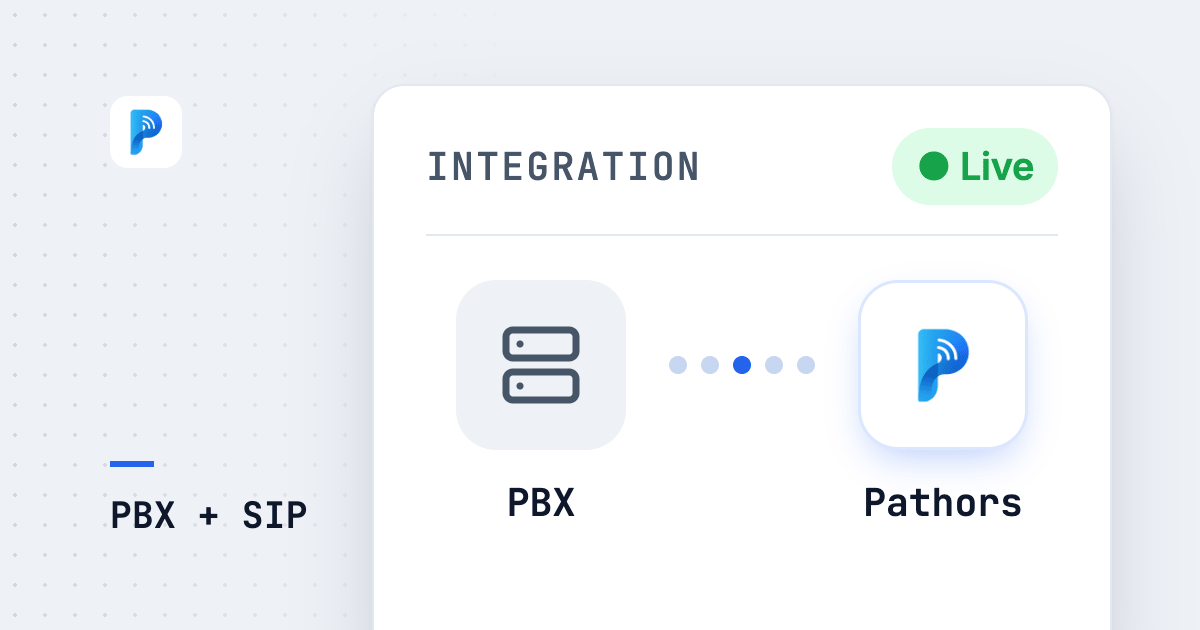
A traditional PBX speaks analog; phone AI speaks SIP, the standard protocol for voice over the internet. The bridge between them is a VoIP gateway: a small box with phone-line ports on one side and Ethernet on the other, converting analog audio into SIP packets for the AI (source).
Gateways come with two kinds of ports, FXS and FXO. In plain terms:
Two wiring patterns cover almost every deployment:
Pattern one: the AI is an extension and takes over a specific extension or time window. The gateway's FXO port goes into a spare extension port. Configure the PBX so reception forwards to 199 after three rings, or so night mode rings 199 directly. Daytime stays as it was; after hours belongs to the AI; internal calls, pickup groups and ring groups are untouched.
Pattern two: the AI answers in front of the PBX. The landline enters the gateway's FXO port first; the AI answers, qualifies the call, and hands it back through an FXS port into the PBX's trunk port when a human is needed. The AI sees the real caller ID this way, but you are rerouting the inbound path, so do it with the PBX vendor.
Either way, the PBX's internal logic does not change. To the PBX, the gateway is just one more handset or one more line. You need a spare port, one Ethernet run, and an afternoon of installation.
IP PBX: Usually Configuration Only, No Hardware
If your PBX is already an IP PBX (Asterisk, FreePBX or a branded IP system), you are already in the SIP world. Confirm one thing: does it support forwarding to an external SIP URI, or SIP trunk peering? A SIP URI looks like an email address, for example sip:agent@example.com, and the host part can be an IP address or a domain name (source). If that is supported, set the AI's SIP URI as a forwarding target, or add the AI platform as a trunk, and you are done.
Settle three settings with the PBX vendor or IT and the first test call usually connects:
1. SIP registration or IP authentication?
Registration means your PBX logs in to the AI platform with a username and password, which works without a static IP. IP authentication means both sides whitelist each other's static IP: no credentials, more stable, but you need a static IP. Ask the AI vendor which it supports first.
2. Codec: G.711 or Opus?
Both sides need at least one codec in common, otherwise the call connects with no audio. G.711 is universal; Opus sounds better and uses less bandwidth but is not on every system. Put G.711 first and Opus as a fallback.
3. Which ports through NAT and the firewall?
SIP signaling normally uses port 5060 (UDP or TCP) or 5061 (TLS); voice travels over RTP on a UDP port range that differs by platform, so get the list from the AI vendor. Also ask IT to disable SIP ALG on the router: despite the name, it is the most common cause of one-way audio.
SIP Trunk: For High Volume and Many Concurrent Calls
A SIP trunk replaces physical phone lines with virtual lines over the internet, with a SIP provider terminating your calls on the public telephone network (source). For phone AI it means the number lands directly on the AI platform or the IP PBX, with no analog conversion in between.
How it compares with a VoIP gateway:
| What it is | A hardware box converting analog or digital signals to SIP | A network line from a carrier or SIP provider |
|---|---|---|
| Existing PBX | Kept | IP PBX kept; analog PBX usually retired |
| Concurrent calls | Limited by port count (typically 4, 8 or 16) | Set by contract; scaling is a contract change, not new hardware |
| Number | Unchanged | Ported over, or a new number |
| Main cost | One-time hardware plus installation | Monthly fee plus concurrency |
| Best for | Small to medium volume, PBX left alone | High volume, multiple sites, already moving to IP |
The deciding factor is concurrent calls, not calls per day. As a rule of thumb from Pathors' sizing model, one line realistically serves about 10,000 minutes per month, because traffic clusters in a few peak hours and utilization ends up a little over twenty percent. Once your monthly minutes call for four or more lines, gateway port counts stop making sense and a SIP trunk becomes the right answer. The full sizing method is in How Many Calls Can Phone AI Handle at Once?.
When You Really Do Need a New Number, and Number Portability
To be precise: the cases below need an additional number. The old one keeps working.
Number portability only comes into play when you move an existing number to a different carrier, for instance from physical lines to a SIP trunk provider. In Taiwan, fixed-line number portability has been available since 13 October 2005, and roughly 60,000 fixed-line numbers had been ported by the end of August 2025 (NCC). Fixed-line porting is tied to the same installation address (NCC regulation), so you can carry a number to a SIP provider at the same address, but not while moving offices. Readers in other markets should check their own regulator's rules on eligibility, timing and geographic limits.
In practice: the new provider files the port; expect a brief cutover gap, so pick an off-peak time; and check the old contract for lock-in first.
What to Prepare Before Talking to a Vendor
Fill this in before the first vendor call and you will save at least one round of back-and-forth.
Common Pitfalls
Not enough gateway ports. One port is one concurrent call. A two-port gateway drops the third caller. Size ports by peak concurrency and keep one or two spare.
Firewall blocking SIP. The symptom is ringing that connects to silence, or one-way audio. Nine times out of ten it is SIP ALG left on or the RTP range closed. Run a two-way test call before launch; the checklist is in Phone AI Test Call Checklist.
Caller ID shows your own number. With carrier forwarding, the AI often receives your company number instead of the customer's, so it cannot match the CRM and the record has no callback number. Three fixes: ask for the original caller number to be preserved on IP PBX or SIP trunk peering; switch to the "AI in front of the PBX" pattern; or at minimum have the AI confirm a callback number during the call.
No recording notice. Phone AI records and transcribes nearly every call, which triggers personal-data notification duties, so callers need a recording notice. Outbound has more rules, covered in Is AI Outbound Calling Legal?.
Double forwarding adds delay. Landline to mobile, mobile to AI: every extra leg adds latency, degrades audio and can drop caller ID. One direct leg whenever possible.
Back to the opening question: do you need a new number? In most cases, no. No PBX means changing forwarding rules; a traditional PBX means one gateway; an IP PBX means configuration; a SIP trunk only when volume genuinely calls for it. Phone AI changes the rule for who answers first, not your number and not your PBX.
Connectivity is the first gate, not the whole journey. If you are still evaluating what phone AI can do and what it costs, start with What Is Phone AI? The 2026 Complete Guide. To size gateway ports or trunk concurrency, read How Many Calls Can Phone AI Handle at Once?. For recording, notification and outbound rules, see Is AI Outbound Calling Legal?.
Frequently Asked Questions
Do I have to change my phone number to use phone AI?
In most cases, no. The AI sits alongside your existing phone system rather than replacing it. Businesses without a PBX go live by changing carrier forwarding rules; a traditional PBX adds one VoIP gateway; an IP PBX forwards calls to the AI's SIP address. You only need an additional number if you want a dedicated line, separate AI and human traffic, or separate reporting, and the old number keeps working.
What equipment does a traditional analog PBX need to connect to phone AI?
One VoIP gateway. It plugs into a PBX extension or trunk port on one side and the network on the other, converting analog audio into SIP for the AI. An FXO port makes the AI look like an extension to the PBX; an FXS port makes it look like an outside line. Size the port count by peak concurrent calls, one port per call, with one or two spare. The PBX's internal logic stays as it is.
What should I ask my PBX vendor or IT team about an IP PBX?
Three things. First, whether peering uses SIP registration or IP authentication; IP authentication needs a static IP. Second, that both sides share at least one codec, with G.711 first and Opus as a fallback. Third, which firewall ports to open: SIP signaling on 5060 or 5061 plus the RTP range, with SIP ALG disabled on the router. With those aligned, no hardware purchase is usually needed.
Can the AI answer only after hours or when lines are busy?
Yes, and it is the recommended starting point. Use the carrier's no-answer or busy forwarding so humans take calls during the day and the AI only steps in when nobody picks up or all lines are full. PBXs and carrier plans with schedule rules can forward after hours and on holidays directly. The PBX is untouched, it usually goes live the same day, and it can be switched off at any time.
Will caller ID change after forwarding to the AI?
Often, yes, with carrier forwarding. The AI may see your company number instead of the customer's, so it cannot match the CRM and the record has no callback number. Fixes: ask for the original caller number to be preserved on IP PBX or SIP trunk peering, move the AI in front of the PBX, or have the AI confirm a callback number during the conversation. Ask the vendor this question before signing.
How long does the phone AI integration take?
As a rule of thumb: forwarding-only setups finish the same day; an IP PBX takes one to three working days, mostly firewall work and testing; a traditional PBX with a gateway takes one to two weeks waiting for hardware and the vendor's schedule; a SIP trunk with number porting depends on the provider and is measured in weeks. This covers connectivity only; the AI's scripts and knowledge base are a separate track.